
Everything a new volunteer needs to help run a service with FrameDecks. You can learn it in ten minutes.
Who this is for: anyone helping for the first time, usually pressing Next on a phone.
On this page
- Your job
- Five things to know
- Before the service
- During the service
- After the service
- When something goes wrong
- Your first three weeks
Your job
Move the service forward when the leader moves on, and keep the screen tidy. You don't need to understand how anything is built.
Five things to know
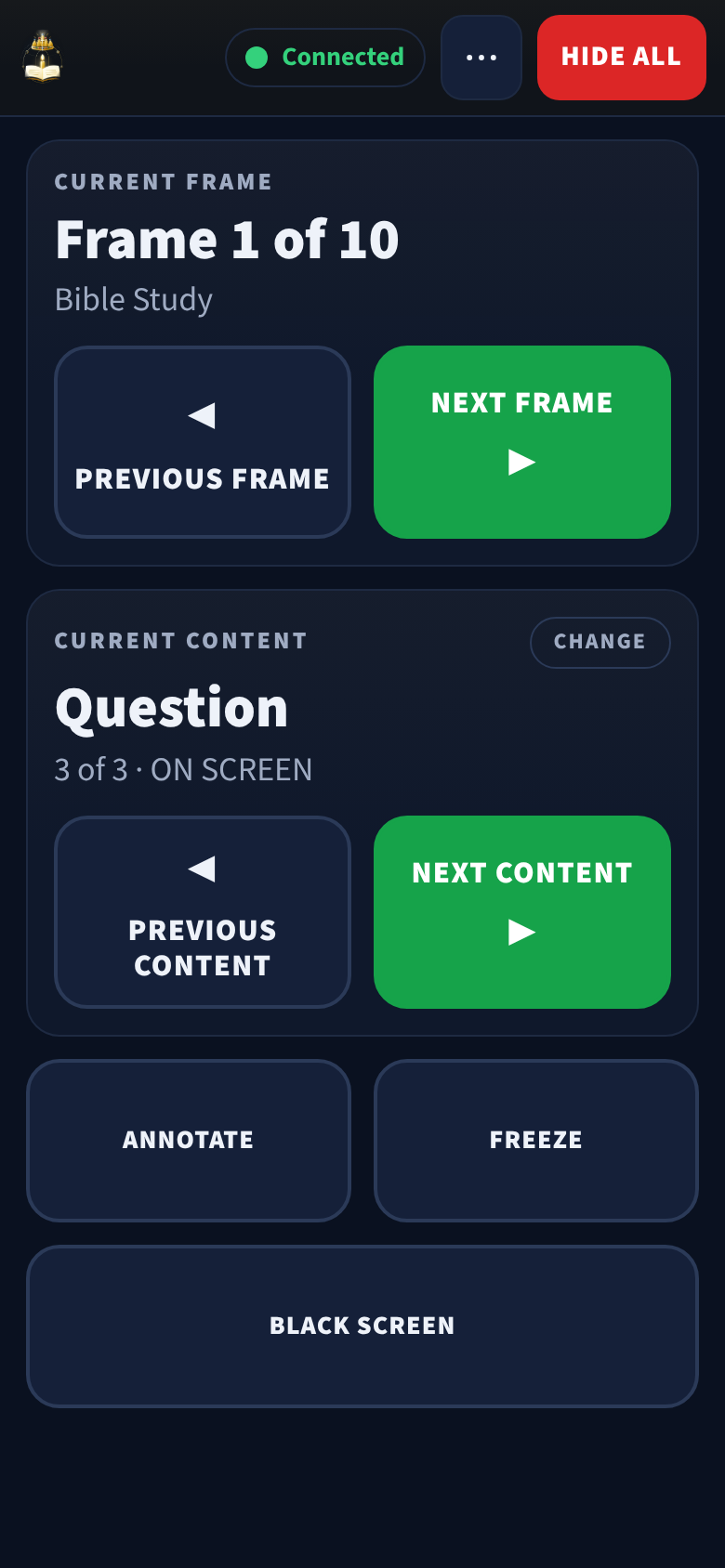
| Button | When to press it |
|---|---|
| NEXT CONTENT | The leader moves to the next question, scripture or slide |
| NEXT FRAME | The leader moves to the next part of the service |
| HIDE ALL | Anything looks wrong. It clears the screen and deletes nothing |
| BLACK SCREEN | The screen should be dark. Press SHOW PICTURE to bring it back |
| FREEZE | You were asked to hold the picture still |
The PREVIOUS buttons go back one step if you press Next too early.
Before the service
- Phone charged; Do Not Disturb on; screen set to stay awake.
- Joined the church Wi-Fi (the same one as the PC).
- Remote opened and showing Connected at the top.
- Agreed a signal with the leader (for example, a nod for Next).
During the service
- Follow the leader, not the slide: press Next when they move on.
- Glance at Current Content (Question 2 of 5) to know where you are.
- If you are not sure, wait. A slide shown a second late is better than the wrong slide.
After the service
- Close the remote, or leave it; nothing is changed by leaving it open.
- Tell the service operator about anything that felt confusing.
When something goes wrong
- Press HIDE ALL.
- Tell the service operator or leader quietly.
- Wait for them to put the right thing back on screen.
If the phone shows it is not connected, tell the operator; the PC can carry on without you.
Your first three weeks
| Week | You… |
|---|---|
| 1 | Sit next to an experienced volunteer and watch |
| 2 | Press Next for part of the service while they sit beside you |
| 3 | Run it yourself, with them nearby |
Related
- Remote operators (when you're ready for more)
- Remote control
- Service-day checklist
- Church operations